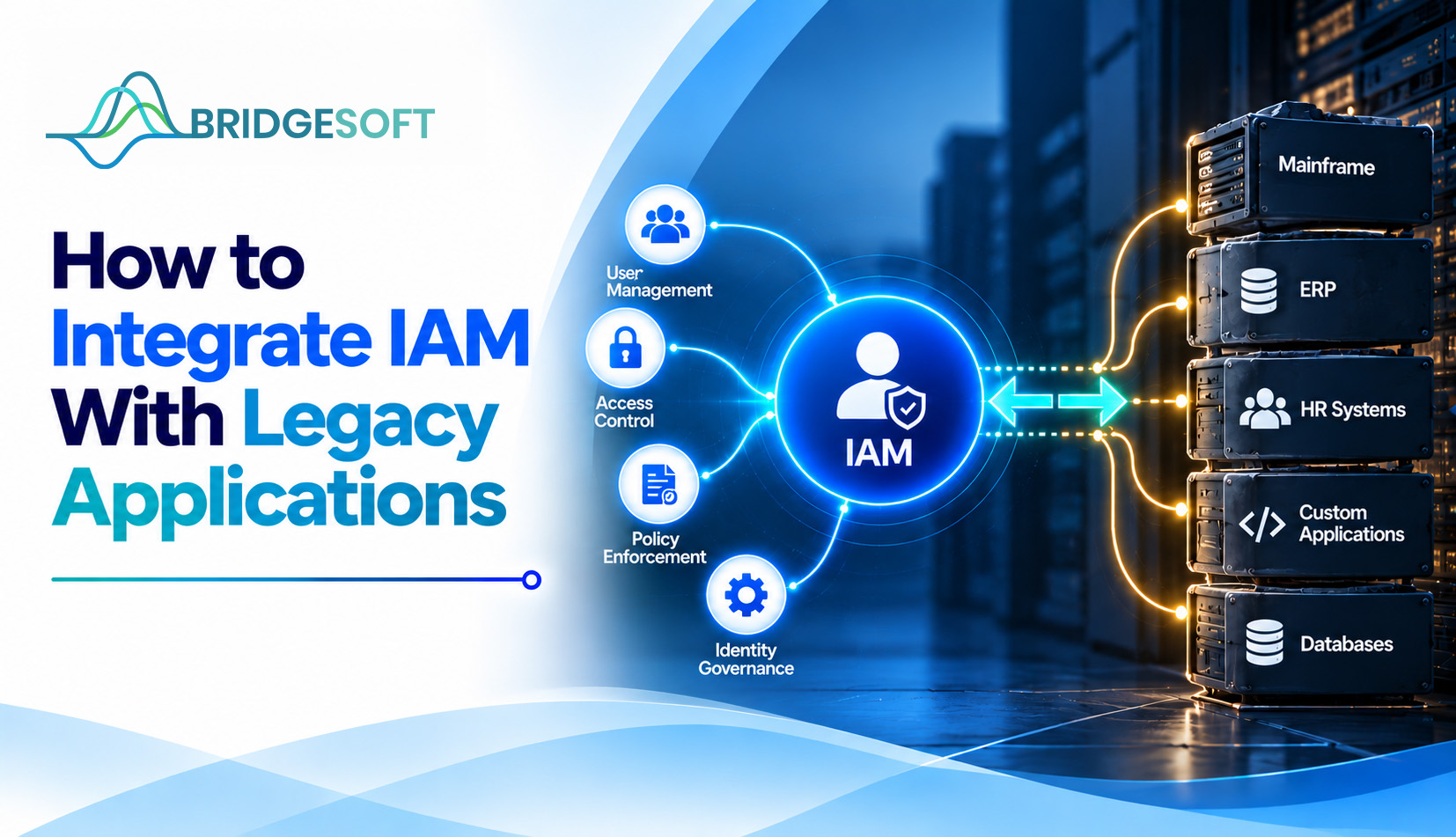
Somewhere in your environment, a 15-year-old application still handles something important, such as payroll, claims, or plant scheduling. It has its own user database and its own passwords. Nobody wants to touch it because nobody is sure what will break if they do. Application auditors usually ask about it first.
Integrating identity and access management (IAM) with systems like this is one of the most common enterprise security problems. It rarely requires replacing the application. This guide covers the main integration options, a phased approach, and the mistakes that most often stall these projects.
What does it mean to integrate IAM with a legacy application?
It means the application no longer decides on its own who your users are and what they can do. A central IAM platform handles authentication (proving identity), authorization (deciding access), and the user lifecycle (creating, changing, and removing accounts). The legacy application connects to that platform instead of remaining an island.
Full integration covers all three. Partial integration is still valuable. Putting single sign-on and multi-factor authentication in front of an old application reduces risk significantly, even if provisioning stays manual for a while.
Why legacy applications resist integration
Most were built before modern identity standards existed. Typical obstacles include:
- No support for SAML or OpenID Connect (OIDC). These are the standard protocols modern single sign-on uses.
- Local credential stores. Passwords and roles live inside the application, invisible to central tools.
- Hard-coded roles and shared accounts. Access is built into the code, and generic logins hide who did what.
- Thin documentation and few remaining experts. The original developers may no longer be with us.
- Fragile change tolerance. A small modification can disrupt a business-critical process.
Integration approaches compared
No single method fits every application. The table shows the common patterns and where each works best.
| Approach | How it works | Best for | Main limitation |
| Standards-based federation (SAML/OIDC) | The app trusts the IAM platform for login | Apps with modern auth options, even if dated | Needs app support or a vendor update |
| Reverse proxy or gateway | A gateway sits in front and handles authentication, passing identity via headers | Web apps that can’t change | Authorization stays coarse; the app must accept header-based identity |
| Connector-based provisioning | Connectors or SCIM create and remove accounts via APIs or the database | Apps with exposed APIs or database access | Direct database writes need careful testing and vendor sign-off |
| Flat-file or scripted integration | Scheduled files or scripts sync accounts | Mainframe and batch-oriented systems | Slower, harder to monitor |
| Privileged access vaulting | Shared or admin credentials are stored and rotated centrally | Apps that can’t be federated at all | Controls privileged use but doesn’t fix the underlying design |
Most organizations use several of these at once, matched to each application.
A phased approach that holds up
1. Inventory and classify. List every legacy application, its owner, its data sensitivity, and how it authenticates today; rank by risk and business criticality, not by how easy each one is to connect.
2. Fix the foundation first. Clean up your directory, define roles, and decide who owns each identity source. Connecting an application to messy identity data only automates the mess.
3. Start with authentication. SSO and MFA, through federation or a gateway, deliver visible risk reduction quickly and rarely touch application logic.
4. Add provisioning and deprovisioning. Automating joiner, mover, and leaver changes removes the stale and orphaned accounts that accumulate in old systems. Manual provisioning is also a common source of both security and operational risk.
5. Bring in governance. Once identities flow in, identity governance lets you access reviews, enforce segregation of duties, and produce audit evidence for applications that previously had none.
6. Pilot, then expand. Choose one moderately important application first, learn from it, and extend in waves.
A realistic scenario
Consider a hypothetical regional insurer with a claims system that has only local logins. Employees leave, but their accounts linger for months. Phase one involves putting the application behind a gateway with SSO and MFA. In phase two, it connects the HR system so that termination triggers account removal. The application code remains unchanged, yet it closes the highest-risk gap: former employees with live access. Role-level controls come later, once the business has defined what each role should do.
Common mistakes
- Treating it as a pure technology project. Application owners must agree on role definitions and sign off on changes, or the project stalls.
- Starting with the hardest application. An early win builds credibility and funding. Save the mainframe for later.
- Skipping the test environment. Legacy systems are often undocumented, so integration without a safe place to test is risky.
- Ignoring non-human and shared accounts. Service accounts are frequently the weakest part of old systems.
- Underestimating timelines. Integration with undocumented systems tends to run long, a well-known reason IAM implementations run over schedule.
When integration is not the right answer
Some applications are better retired or replaced. A compensatory control like network isolation plus privileged vaulting might be a reasonable stopgap if a system is nearing the end of its useful life, has no vendor support, or would be more expensive to connect than to relocate. Consider the application’s remaining lifespan before you invest.
Managing the risk and the workload
Legacy integration is as much an operational effort as a security one. Teams often lack the capacity to maintain connectors and monitor access across dozens of older systems, which is where managed IT services can fill the gap. It also helps to tie the work to a broader risk management view, so you tackle the applications that pose the greatest exposure first.

Ready to Strengthen Your Identity Security?
Bridgesoft helps organizations improve identity visibility, strengthen Identity Governance, streamline Identity Access Management, and modernize identity processes across complex enterprise environments.
Book a Free DemoConclusion
Legacy applications do not have to block your identity strategy. Inventory first, fix your identity data, start with authentication, then add provisioning and governance in phases, and choose each integration method to fit the application rather than forcing one pattern everywhere. If you want a second opinion on where to start, Bridgesoft’s team can help you assess your application portfolio and prioritize.
Yes. A reverse proxy or gateway can authenticate users in front of the application, and connectors, scripts, or privileged vaulting can cover provisioning and credential control.
Often not. Gateway, connector, and file-based methods typically work without code changes, though some need configuration changes or vendor confirmation.
Authentication usually comes first because SSO and MFA reduce risk quickly. Provisioning follows once identity data is clean.
It depends on remaining lifespan, vendor support, and business criticality. For systems close to retirement, compensating controls may be the more economical choice.
It varies widely depending on the number of applications and how well they’re documented. A pilot application is typically far quicker than a full portfolio, so plan in waves and avoid a single deadline.
Disrupting a business-critical process. Testing in a non-production environment and phasing the rollout are the main safeguards.